DexoPad
Cross-Device Keyboard, Mouse & Macros — Anywhere.
A pocket-sized USB dongle that turns your phone — or another PC — into a wireless keyboard, touchpad, and macro controller for any computer. Zero drivers. Zero install. Just plug and type.
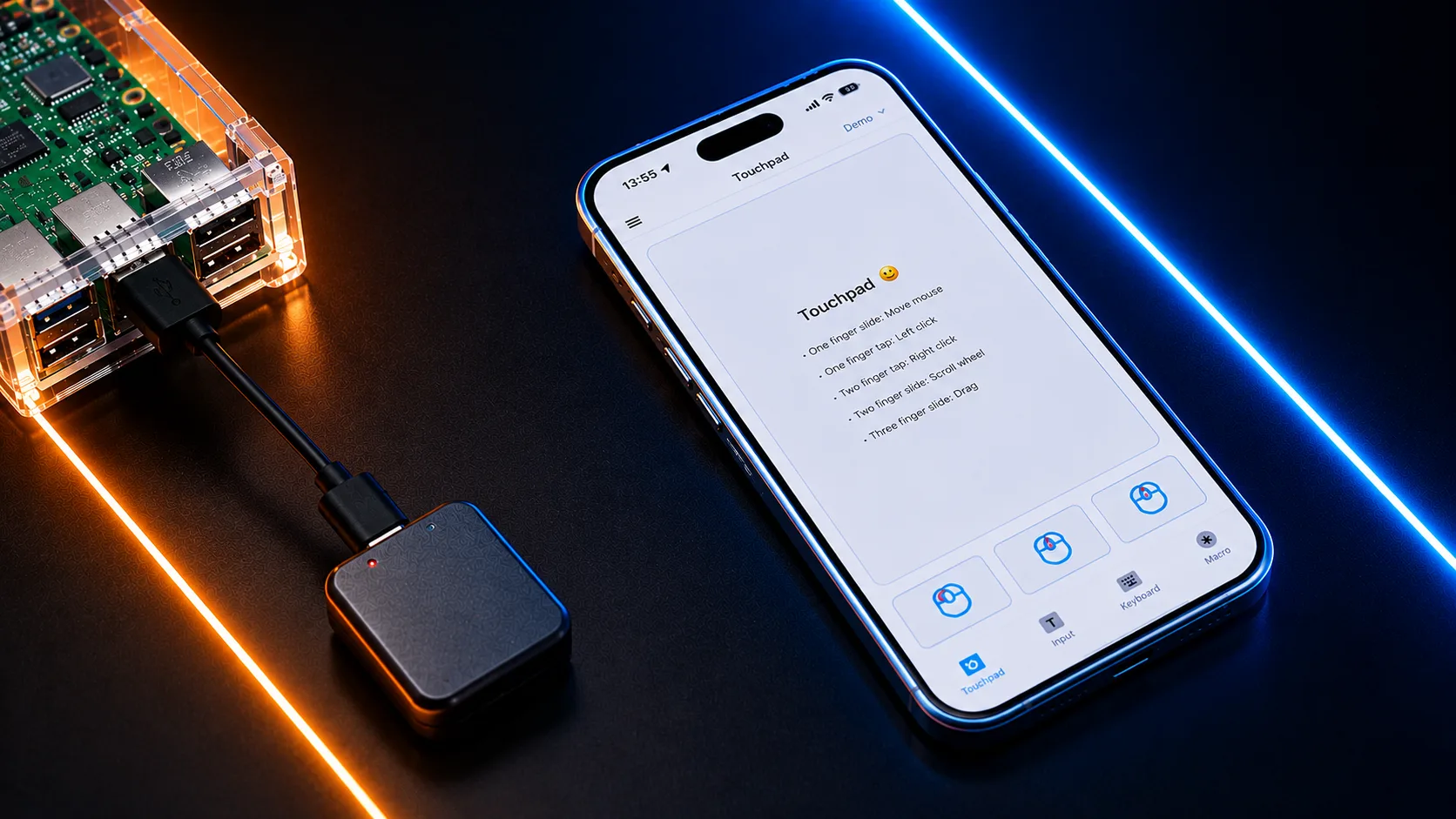
See DexoPad in action
One tiny dongle — keyboard, mouse, touchpad, and macros across every device.
One Device. Two Ways to Drive It. Anywhere.
How It Works
Three seconds. That's all it takes to turn your phone into a universal controller.


Plug In
Slot DexoPad into any USB-A or USB-C port on the target machine.
Tap Connect
Open the app on your phone or PC. Bluetooth pairing in 1 tap, or WiFi for remote control.
Start Typing
Host sees a standard USB keyboard. No drivers, no setup, no admin rights.
Three Things That Make DexoPad Stand Alone
Not just another wireless keyboard replacement. DexoPad is fundamentally different.
Zero Host-Side Install
The controlled machine sees DexoPad as a standard USB keyboard. No drivers. No pairing. No companion software.
Pay Once, Forever Yours
Every feature on this page is yours, free, for the life of the device. No subscriptions. No paywalls. What you back, you keep.
AI Voice + Macros + Anti-Sleep
Three signature features no competitor offers together — and several none of them offer at all — in one pocket-sized device.
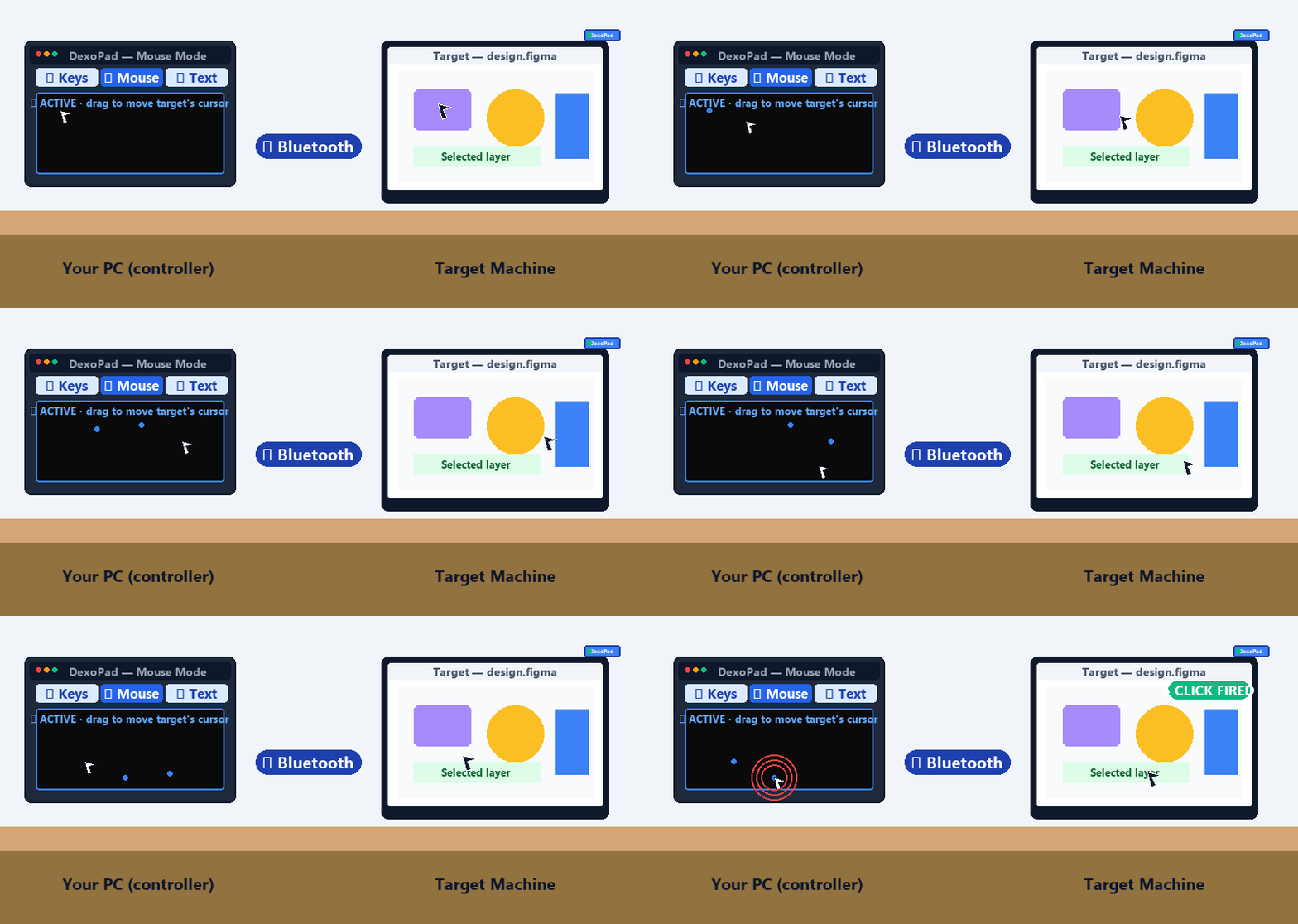
Full TouchPad
Left, right, middle click. Two-finger scroll. Drag-and-drop. Your phone becomes a precision trackpad — no physical mouse needed.
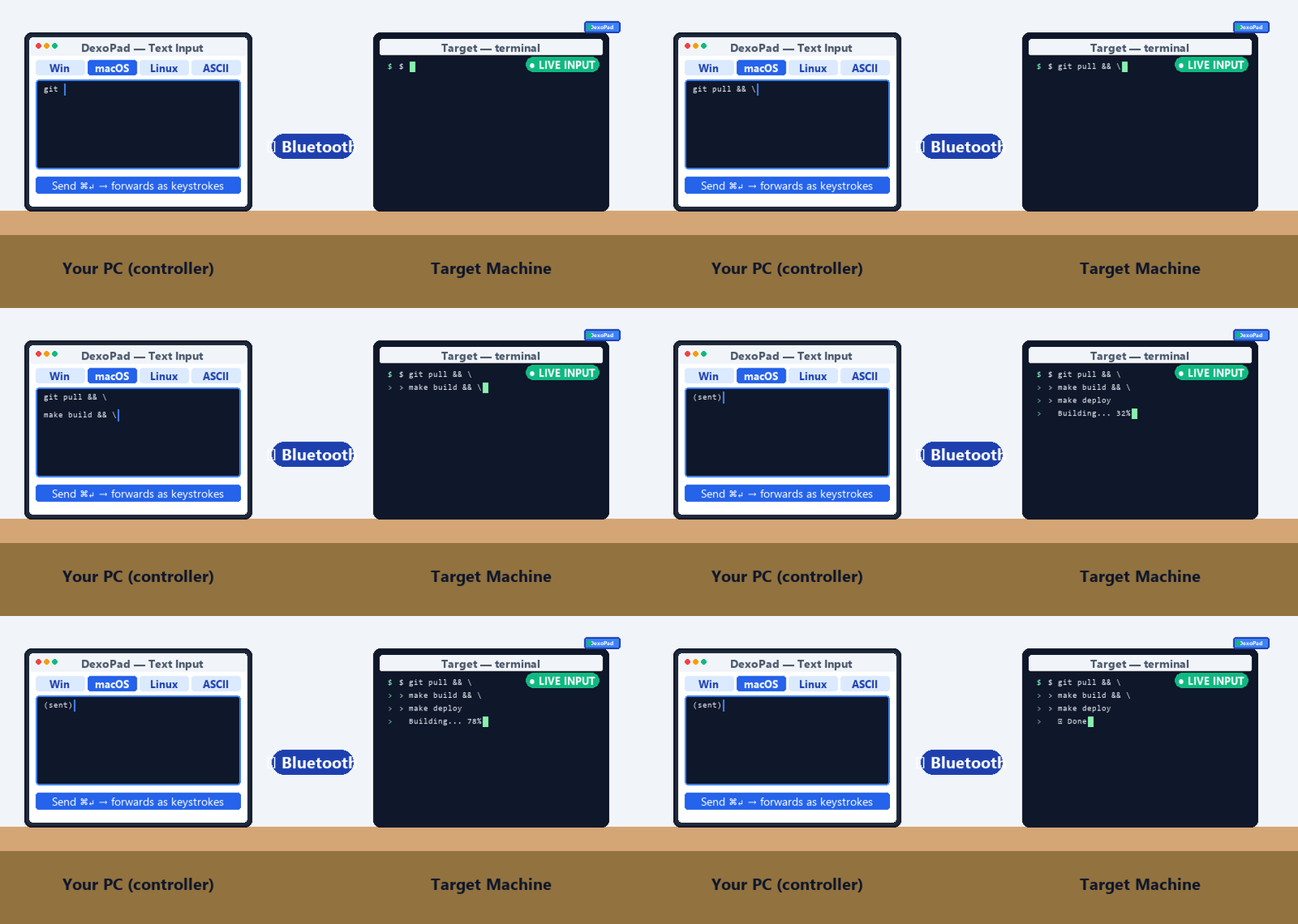
Text Input
Type on your phone or PC; every character lands on the host as a real HID keystroke. Long search queries, command-line one-liners, email replies — drafted in one place, sent as a single stream.
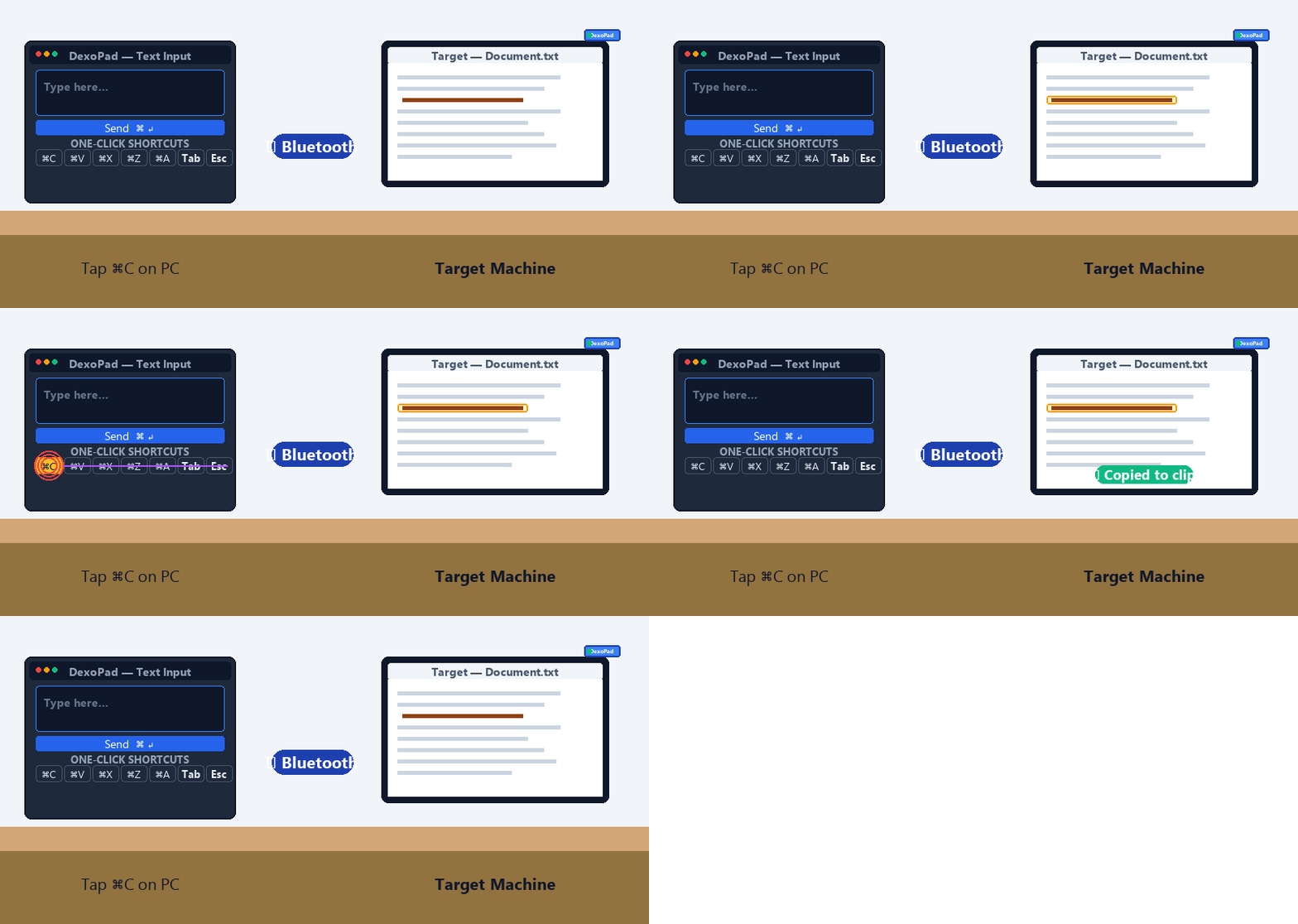
Common Shortcuts
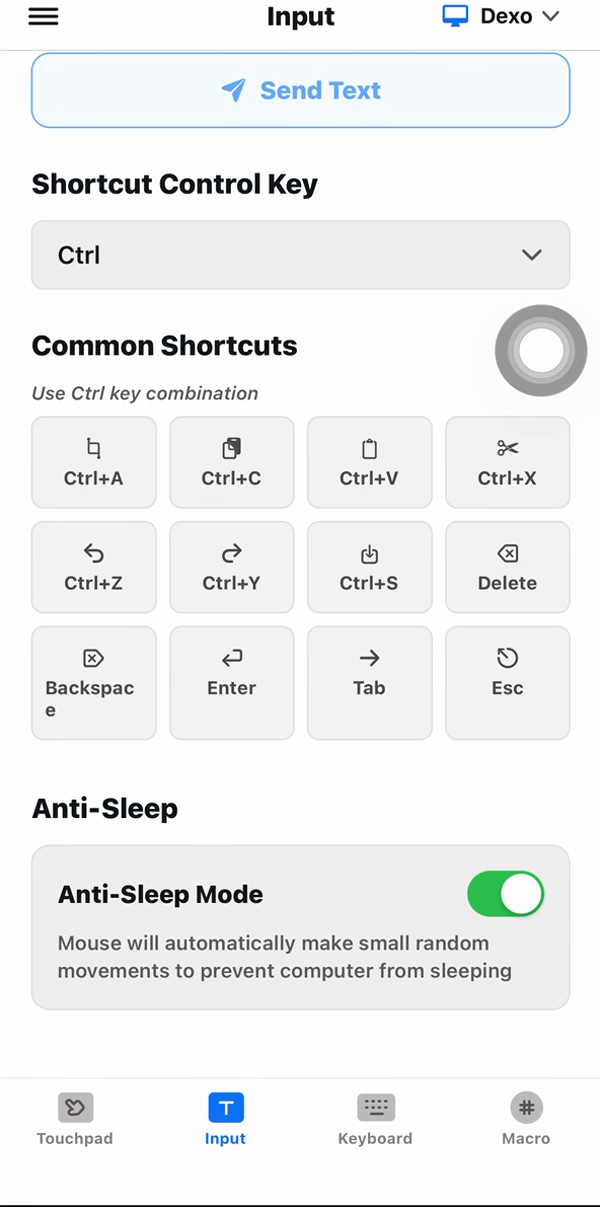
Ctrl/Cmd + C/V/X/Z, Tab, Esc, function keys, full navigation cluster — one tap from phone or a one-click row on the PC app. Copy, paste, undo, save, switch tab without two-handed thumb gymnastics.
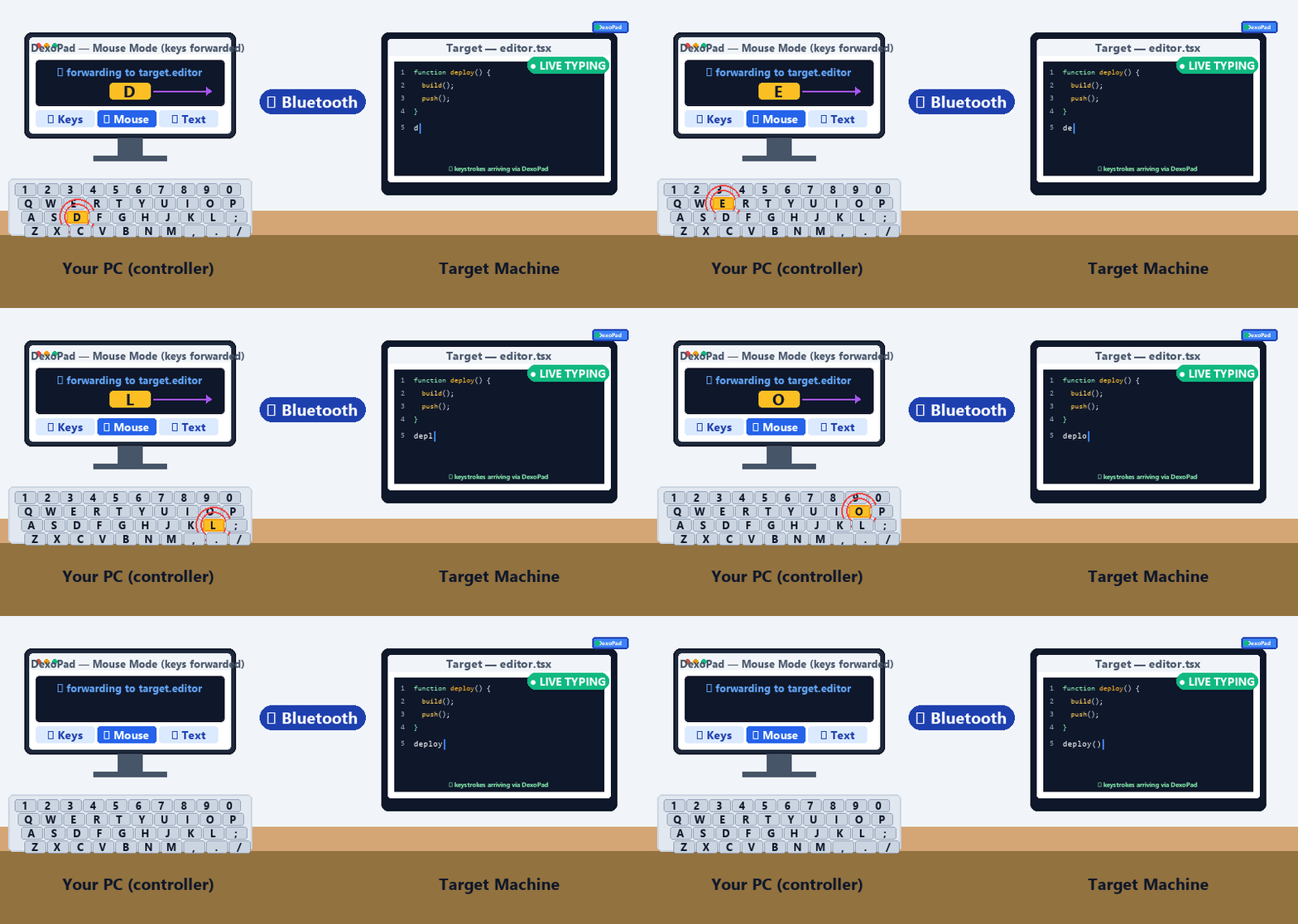
Native Keyboard
Full QWERTY with modifiers, arrows, and the complete function-key row from the phone. On PC, your computer’s own physical keyboard does the job in Mouse mode.
WiFi Remote Control
After local Bluetooth pairing, control the host from anywhere with internet — across the house, office, or country, via our global cloud relay. WiFi remote is input-only — pair with your usual remote-desktop tool for tasks that need to see the screen.
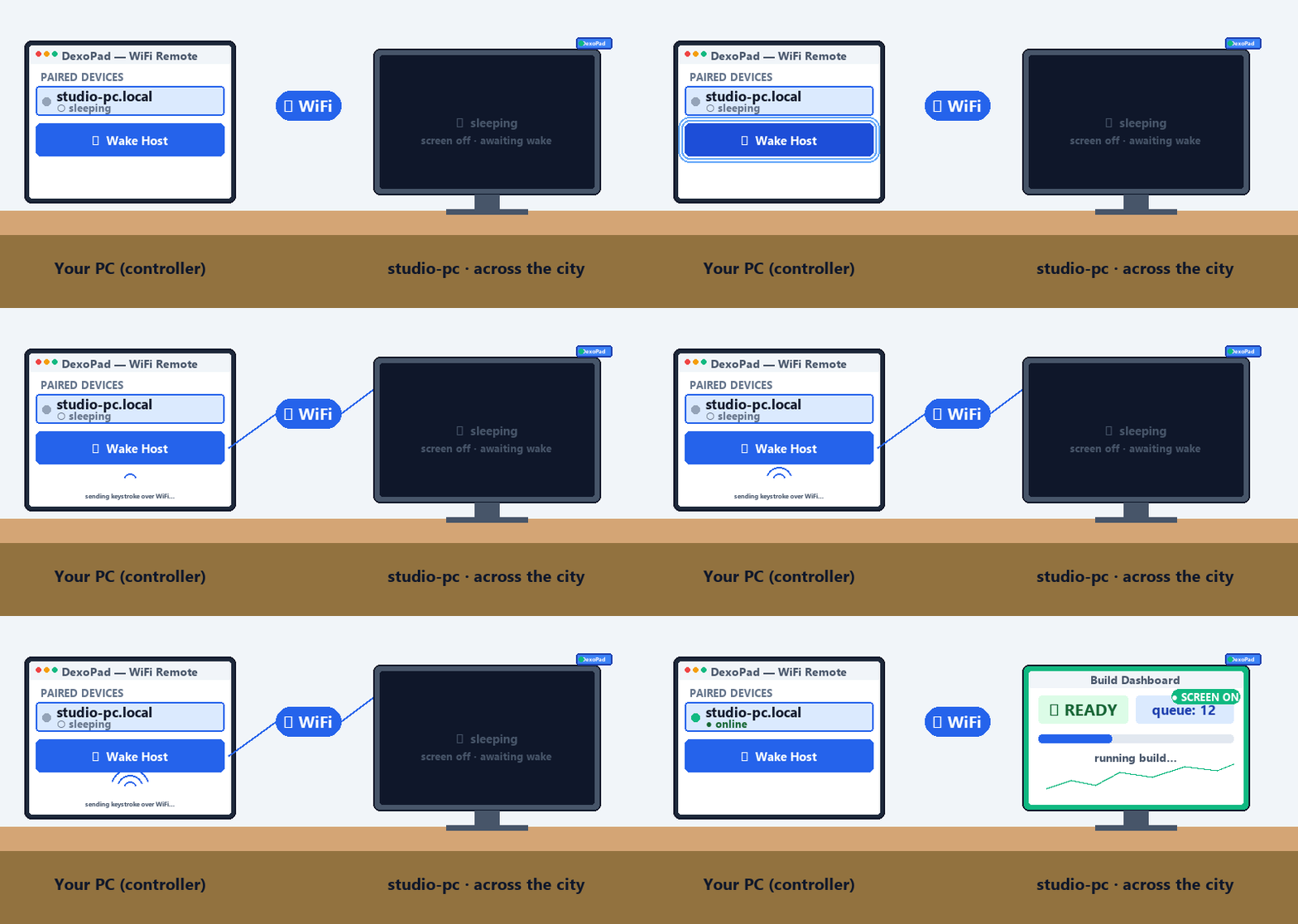
iOS/Android at launch; PC-side WiFi post-launch.
OTA Updates
Dongle firmware and apps (phone + PC) all update over the air. Your DexoPad keeps getting better after shipment — fixes, new features, and broader language support all ship free.
AI Voice Input
Speak; AI transcribes and formats — hands-free emails, docs, code comments. Powered by OpenAI’s speech-to-text + text models. 100 min free per device on first activation, then pay-as-you-go.
Phone only · 100 min free, then pay-as-you-go.
Hardware Anti-Sleep
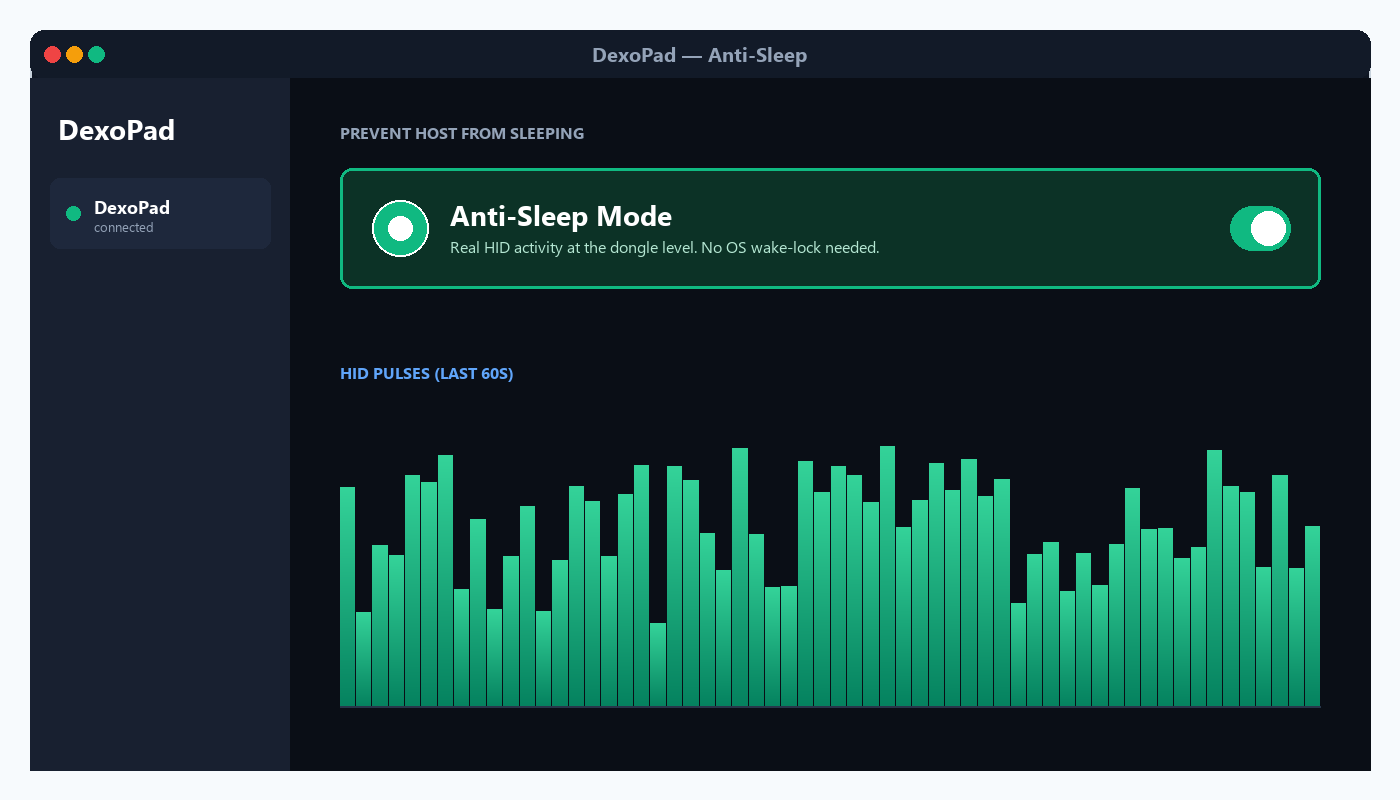
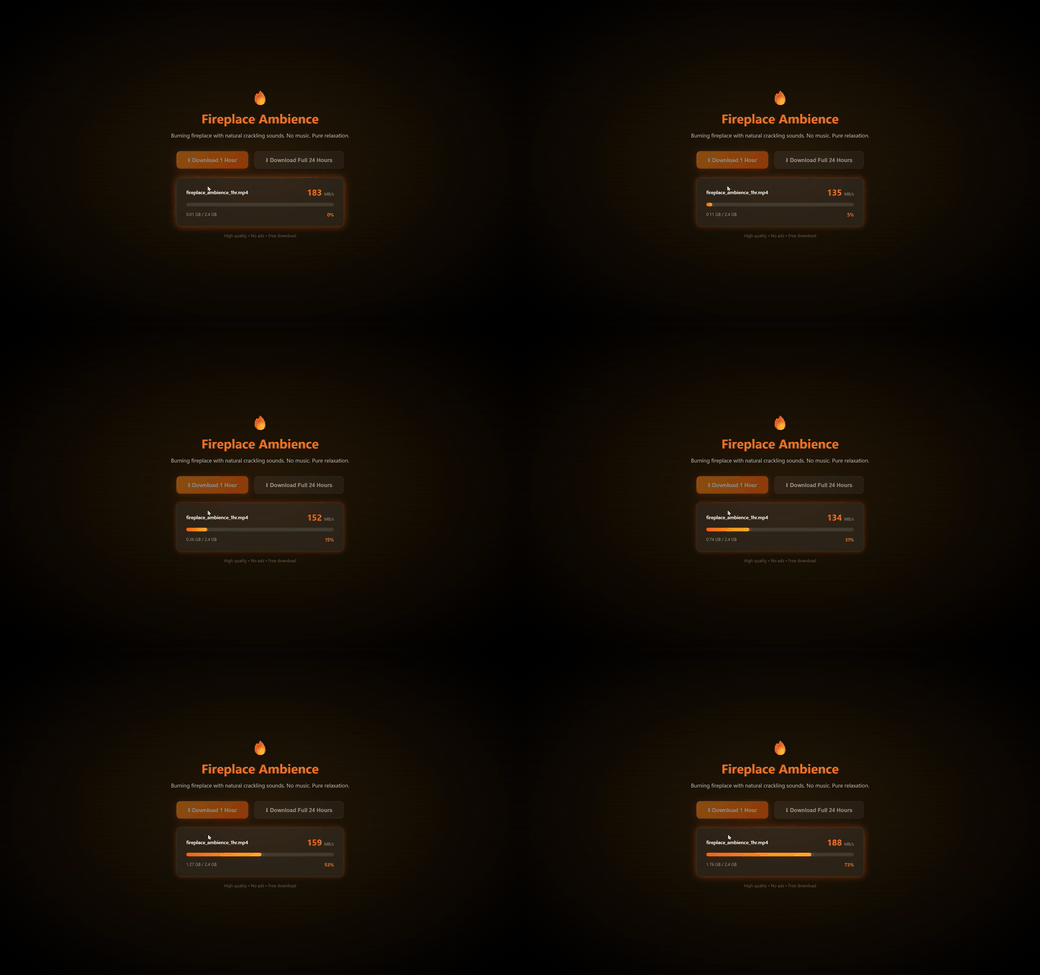
Real HID input from the dongle keeps the host awake through overnight builds, downloads, and remote sessions. No OS service, no driver, no admin rights — for hosts where you can’t (or won’t) install a wake-lock service.
Customizable Macro Keyboards
Four pre-built panels (Default / Windows / macOS / Linux) plus a fully editable custom panel. Chain Key / Delay / Text steps visually — no scripts. Anything you type more than three times a week becomes one button.
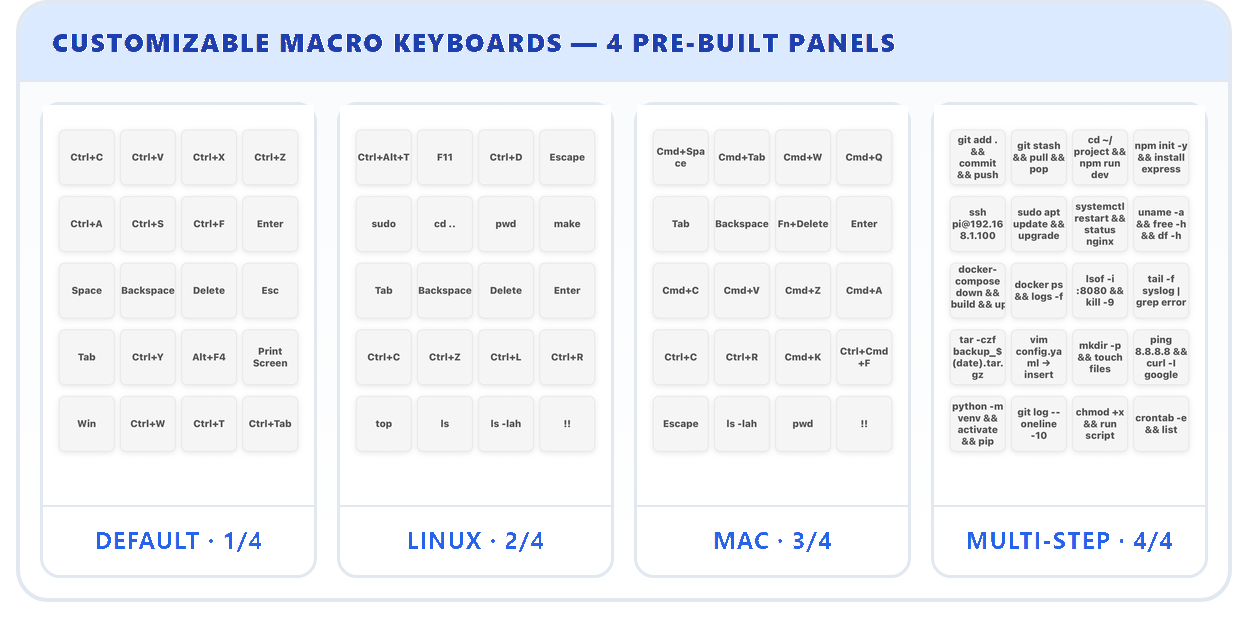
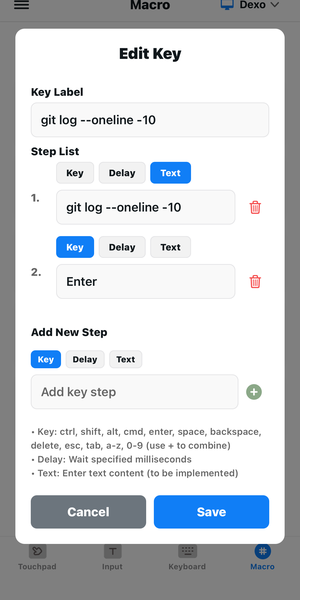
Macro panels on the desktop client will be evaluated after launch based on demand; if greenlit, every unit gets the update free.
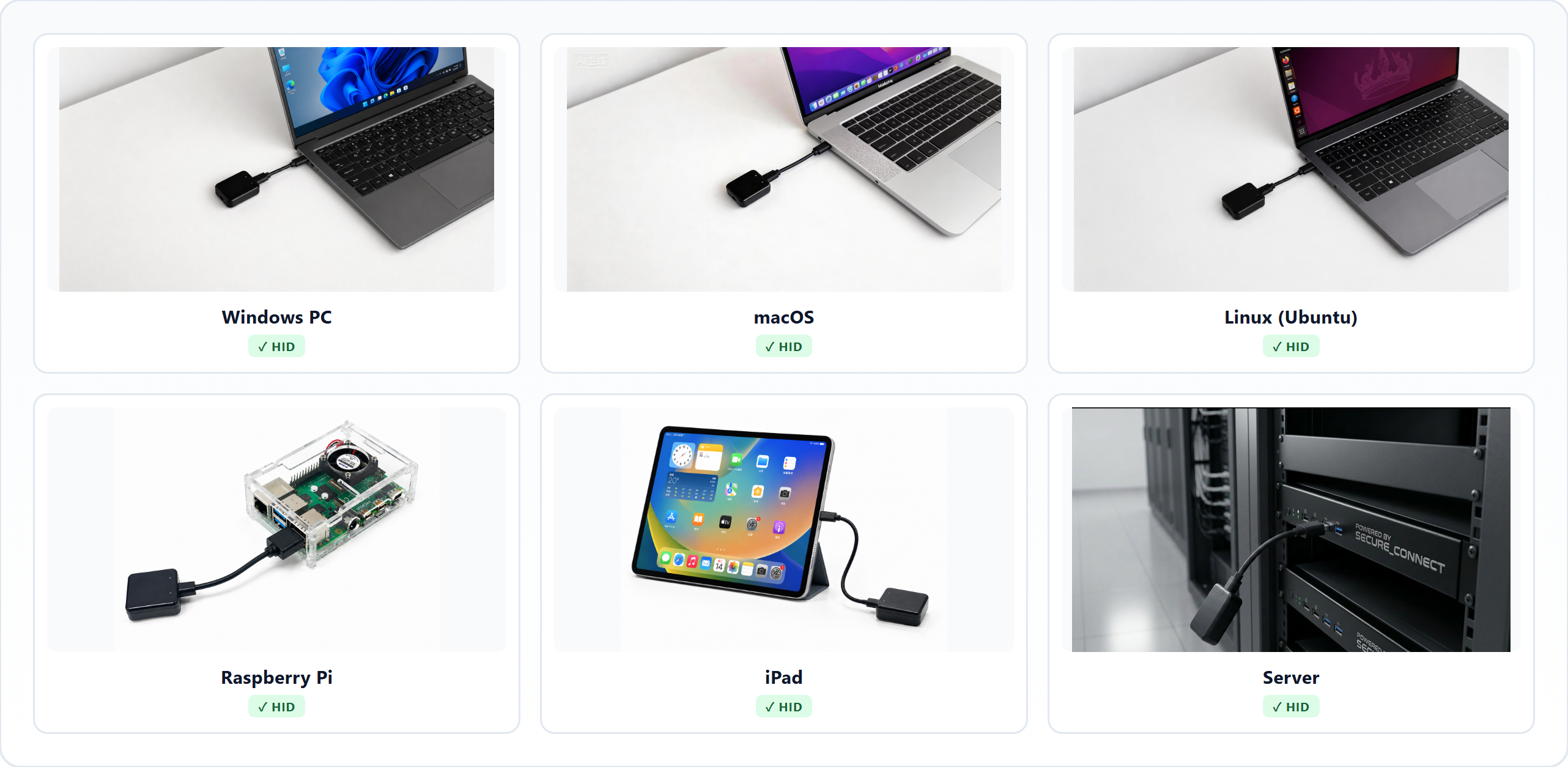
Universal Host Compatibility
Anything that takes a wired USB keyboard works. PCs, Macs, Raspberry Pi, Android tablets, iPads — plus BIOS and boot-loader screens.
The dongle side is genuinely universal — no driver, no pairing, no software on the host.
A Day with DexoPad
Nine moments. One day. One DexoPad. From morning coffee on the couch to a late-night match — every host, every room, every input mode is handled by the same pocket-sized dongle.


Phone Controls PC from the Couch
big-screen sofa work
Coffee in one hand, phone in the other. The study PC is screen-mirrored to the TV — the big screen is your real workspace. Dictate to inbox, or switch to Text Input and type into the host live.

AI Agent Studio · One Master, N Slaves
PC-to-PC fleet
Master PC on your lap; agent rig, training box, dev/test box on the desk — each with its own DexoPad on USB. Forward keys + mouse to whichever slave you point at. One keyboard for the whole fleet.

Boardroom · Roaming Presenter
walk the aisle
Phone in your hand drives the deck — advance slides, scrub video, switch tabs, fire macros from anywhere in the room. No podium walk-back, no "could someone click next?".
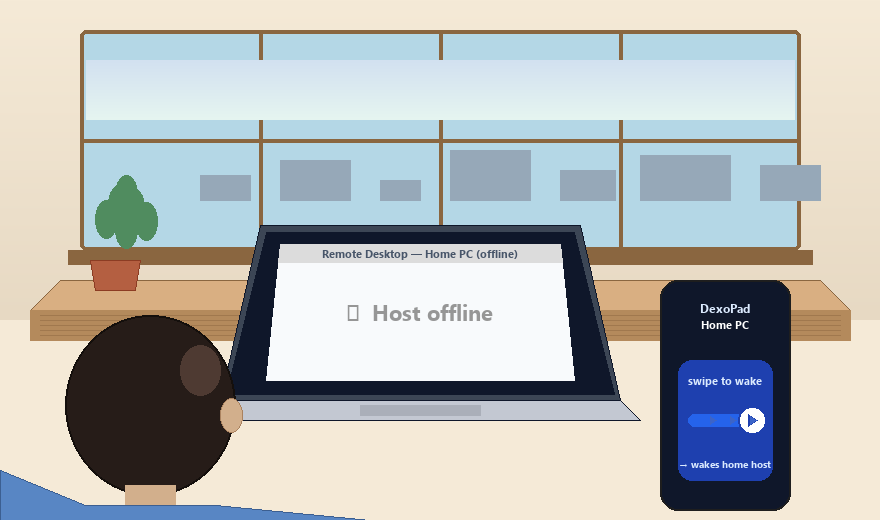
Cafe · Wake the Home PC from the Road
remote wake-up
Remote-desktop tool can't reach the home PC — it slept at noon. Swipe DexoPad on your phone → host wakes → your remote tool takes over from there. The wake-up step every remote tool is missing.

Desk · Macro Deck Kicks In
12 keys in one tap
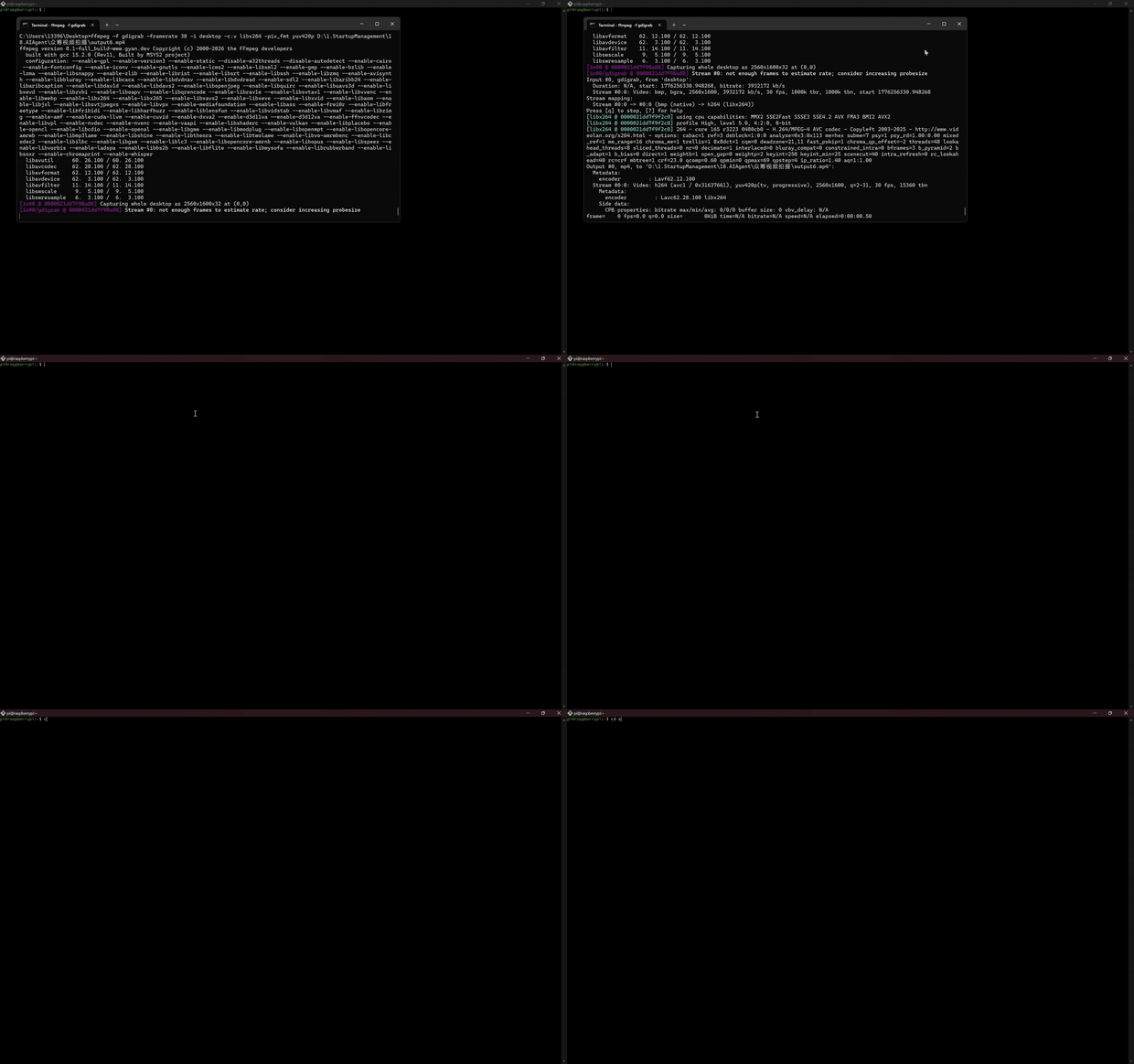
Typing the same 12-step command the fourth time today. One macro fires git pull + npm install + npm run dev. Slack templates, code signatures, ffmpeg pipelines — anything repeated.

Creative Desk · Phone as 2nd Touchpad
Photoshop · Premiere · IDE
Plug DexoPad into the PC, phone next to the keyboard → phone becomes a second customizable touchpad + shortcut panel for design / edit / code workflows.

Home · Offline Host Fix
no host network needed
Freshly-flashed Pi with no network, a laptop stuck at BIOS, a router needing factory-reset. DexoPad pairs over local Bluetooth and types as wired USB HID. Find the command on ChatGPT, one-tap paste it into the offline host as real keystrokes.

Help Desk · Phone → Phone
"the app won't open"
A parent calls. They plug DexoPad into their phone's USB-C port. You can now type and tap into their phone from anywhere — paired with a regular screen-share app, you have input + view together. Far more reliable than "tell me what to tap".

Night · Gaming, Two Ways
phone OR main keyboard
Phone as a macro pad for quick combos (PASS / SPRINT / SHOOT), or your work PC's trackpad + keyboard reaches across the desk to the gaming rig — no unplug-and-replug, no second keyboard.
For forty years, the keyboard told you where your desk was. DexoPad reverses it: your desk is wherever you are — sofa, café, boardroom, server closet, the kid's room at midnight. Not just faster input. Borderless input — the missing primitive the AI age has been waiting for.
Technical Specifications
Fanless, USB bus-powered, recognized instantly as a standard HID device — nothing to install on the host.
| Chipset · Power · Size | ESP32-S3 dual-core 240 MHz · fanless USB bus-powered (no battery) 33 × 42 × 12 mm |
|---|---|
| Connection | Bluetooth 5.0 — phone / PC → DexoPad WiFi 2.4 GHz — cloud relay, remote control from anywhere |
| Host compatibility | USB HID — DexoPad → host. Works with anything that accepts a wired USB keyboard: Windows · macOS · Linux · Raspberry Pi OS · Android · iPadOS · BIOS / boot-loader screens |
| Apps | Mobile: iOS & Android at launch (Android — Samsung Galaxy + Pixel only at launch; other brands via OTA) Desktop: Windows · macOS · Linux (PC-to-DexoPad — Bluetooth in v1.0, WiFi on roadmap) |
| Languages | UI: English · Spanish · Japanese · Korean · Chinese Host typing: ASCII works everywhere Multi-language: full on macOS / Debian / Pi OS · varies on Windows · partial on Ubuntu |
| AI Voice transcription | Powered by OpenAI (speech-to-text + text model) 100 min free per device on first activation |
| In the box | DexoPad dongle USB-A ↔ USB-C cable + USB-C ↔ USB-C cable Quick-start card |
Both Cables Included
Hardware, both USB cables, iOS app, Windows/macOS/Linux desktop apps, free OTA updates, and 100 minutes of free AI Voice credit on first activation.
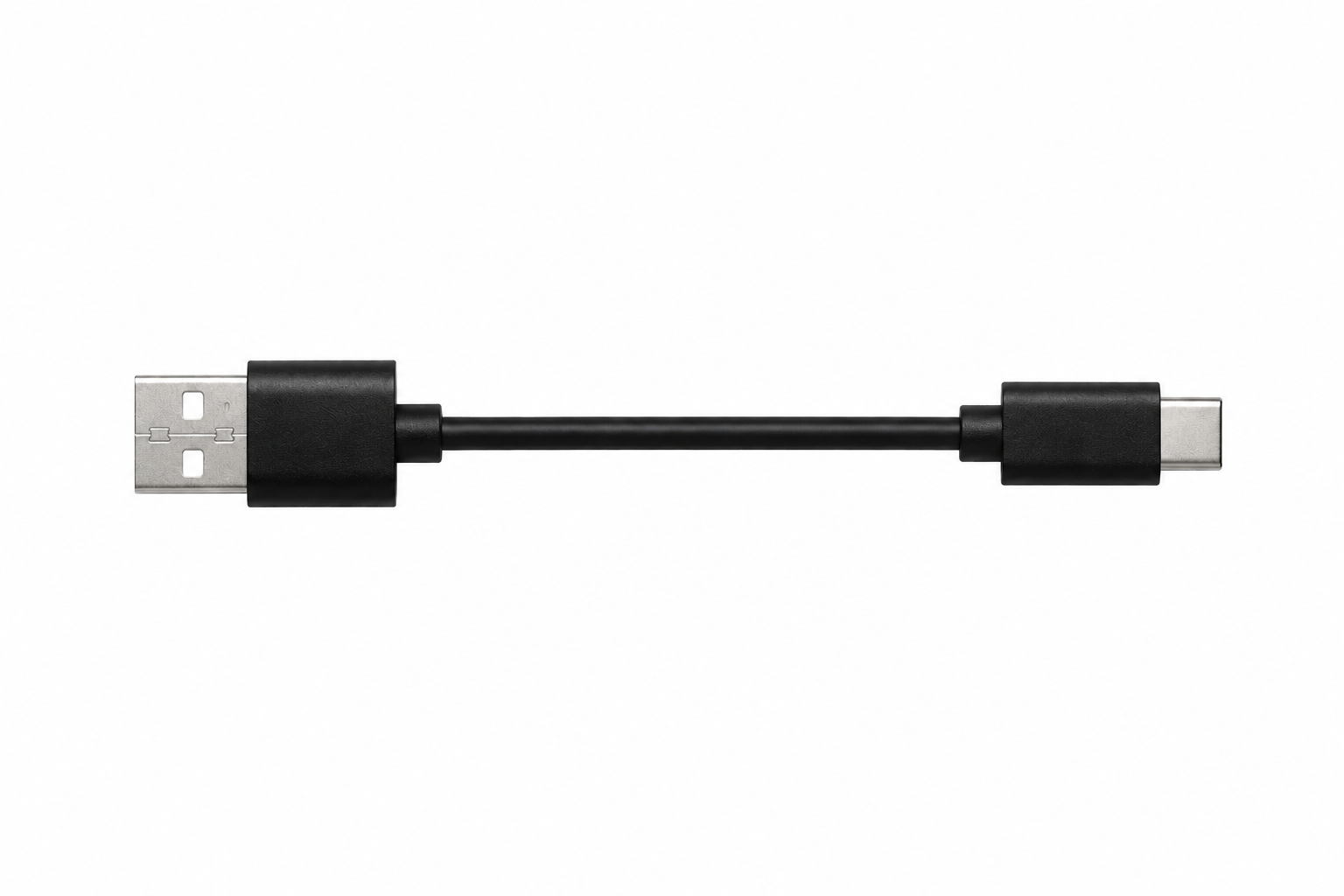
USB-A → USB-C
For older PCs, towers, server switches
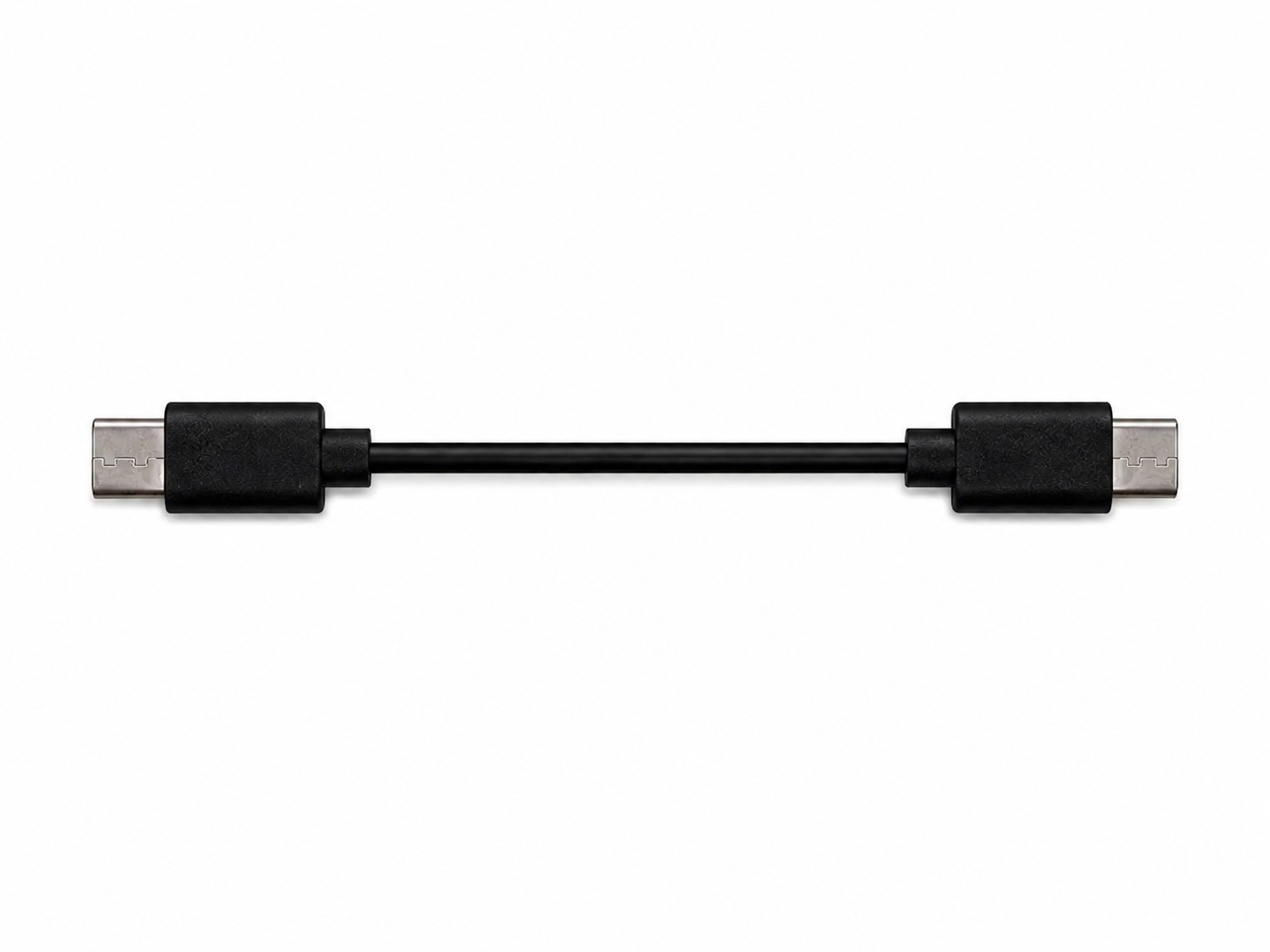
USB-C → USB-C
For MacBooks, iPads, modern laptops, Pi-5
DexoPad — Pricing & Tiers
Four clean tiers— pick the one that fits how you'll use it. Order now on dexopad.com.
| Tier | Price |
|---|---|
Standard Single unit | $39 single unit |
Duo Pack — 2 units Two units · $34.50 / unit | $69 $34.50 / unit |
Trio Pack — 3 units Three units · $31.67 / unit | $95 $31.67 / unit |
5-Pack Five units · $29.80 / unit | $149 $29.80 / unit |
Every tier includes: DexoPad hardware · both USB-A→C and USB-C→C cables · iOS app · Android app for Samsung Galaxy + Google Pixel · Windows/macOS/Linux desktop apps · Free OTA updates · 100 min free AI Voice credit · Defective-unit replacement under 12-month limited warranty.
⏪ Kickstarter backer launch price was $35 (closed). Standard retail $39.
Secure checkout via Stripe · in stock.
Included Credits & Optional Packs
Every DexoPad ships with 100 minutes of AI Voice transcription free on first activation. After that, top-ups are pay-as-you-go credit packs sold on our website — no subscription, no auto-renew, credits never expire.
| Pack | Price | Minutes |
|---|---|---|
| Free credit· on first launch | Free | 100 min |
| Starter | $2.99 | 100 min |
| Plus· save 33% | $9.99 | 500 min |
| Power· save 50% | $24.99 | 1,500 min |
🔒 Privacy. AI Voice transcription goes through OpenAI's cloud under the same privacy terms as ChatGPT. Don't want voice in the cloud? Just leave AI Voice off.
Raw Shell — No Paint, No Compromise
We evaluated the painted-vs-raw shell decision for the final live product. We landed on raw injection-molded ABS — no paint.
Paint Chips and Scratches
These dongles get carried, plugged, unplugged, dropped, pocketed for years. A painted shell looks great on day one, but over time the metallic coating chips and scratches. Raw ABS holds up far better — the color goes all the way through.
Metallic Paint Attenuates Wireless
Metallic paint can weaken BLE signal. For a BLE-driven dongle, raw ABS avoids this tradeoff entirely — stronger connection, more reliable pairing, no need to choose between looks and function.
Every unit gets the same raw ABS shell. The finish is uniform across every unit shipped, regardless of which tier you choose.
We Ship Worldwide
In stock — shipping is charged once per order, not per unit — Duo / Trio / 5-Pack ship as one bundle.
| Region | Shipping (per order · 1× fee) |
|---|---|
| United States | FREE |
| Canada | $6 USD |
| United Kingdom | $6 USD |
| European Union | $8 USD |
| Australia / New Zealand | $8 USD |
| Asia | $5 USD |
| Rest of World | $12 USD |
- Customs / VAT are the customer's responsibility. EU/UK VAT is collected at checkout where required.
- Address collection happens at checkout.
- Tracking number emailed to every customer when the order ships.
What Ships With Every Order
The previously announced upgrades are now part of the live product. Each included upgrade applies to every order, regardless of tier.
DexoPad + Released Apps
Every order includes a fully functional DexoPad with iOS, Android, and desktop apps available now.
Injection-Molded ABS Shell
The achieved shell upgrade is built into every unit: stronger, more uniform raw ABS, with no paint.
⚠ Android support currently targets Samsung Galaxy + Google Pixel. Other Android brands come via OTA based on demand.
Project Timeline
DexoPad is in production and on sale. Hardware, firmware, and the iOS, Android, and desktop apps are shipped; the mobile apps are live on the App Store and Google Play. Orders are fulfilled from stock.
| Phase | When |
|---|---|
| Idea conceived | Nov 2025 |
| Concept locked, R&D kickoff | Jan 2026 |
| Enclosure, hardware & software design complete | Mar 2026 |
| Iteration, testing, design freeze | Apr 2026 |
| 🚀 Launch phase · design polish continues | May 19, 2026 |
| Mass Production | Jun 18, 2026 |
| 📬 Shipping Worldwide | In stock |
How DexoPad Compares
Every alternative has a niche. None does all of this in a single device.
| Capability | DexoPad | Remote Mouse (pure software app) | Wireless KB + Mouse (hardware) |
|---|---|---|---|
| Zero install on the controlled computer | ✓ Wired USB HID | ✗ Host-side helper required | ✓ Plug-and-play HID |
| Works when host has no internet | ✓ Local Bluetooth | ✗ Same WiFi or cloud needed | ✓ RF / dongle pairing |
| Works at BIOS / boot-loader / Pi headless | ✓ Wired HID — full KB+mouse | ✗ Needs OS + helper running | △ Wired-dongle KB only; BT fails in BIOS |
| Phone as full keyboard + touchpad | ✓ | ✓ Core feature | ✗ Hardware only |
| PC-to-PC keyboard + mouse forwarding | ✓ | △ Some apps, need network + host agent | ✗ |
| Customizable macro keyboard | ✓ Multi-OS | △ Some apps include macros | ✗ |
| AI voice dictation | ✓ Built-in | △ Depends on phone local STT | ✗ |
| Hardware Anti-Sleep | ✓ Real HID at the dongle | ✗ | ✗ |
| No host-side account / login | ✓ Local pair only | ✗ Most need account / sign-in | ✓ |
| OTA firmware + app updates | ✓ Both firmware + app | ✓ App only — no firmware | ✗ |
| No subscription — pay once, use forever | ✓ All on-device features incl. | △ Cross-device apps are $5–10/mo | ✓ |
| Typical price | $39 one-time | Free–$10 + $2–10/month for cross-device | $15–$80 one-time |
✓ = full support · △ = partial / conditional · ✗ = not supported
 PalmBlock
Hardware That Ships, Worldwide
PalmBlock has been designing and shipping consumer hardware for 8 years. Our StepBot is already on shelves in 60+ countries— the production playbook behind DexoPad is the same one we've already proven.
Designing, tooling, and shipping consumer electronics since 2018.
Our previous product is on shelves worldwide today.
Hardware, firmware, and all apps released — orders fulfilled from stock.
We built DexoPad first for ourselves. Everyone we showed it to said the same thing: “I want one.”
Defective on Arrival? Free Replacement.
- ✓Before it ships — change or cancel your order anytime before fulfillment.
- ✓Hardware warranty — 12 months from delivery. Defective on arrival or normal-use failure → contact us for a free replacement.
- ✗Not covered — accidents, liquid damage, modifications, improper use, lost/stolen units, issues reported after the 12-month window.
- ✓Software updates — free OTA, no time limit. AI Voice is the one metered feature (100 min free, top-ups from $2.99).
Questions? Bulk Orders? We Reply.
Direct lines for product questions, defective units, bulk orders, or anything else.
